
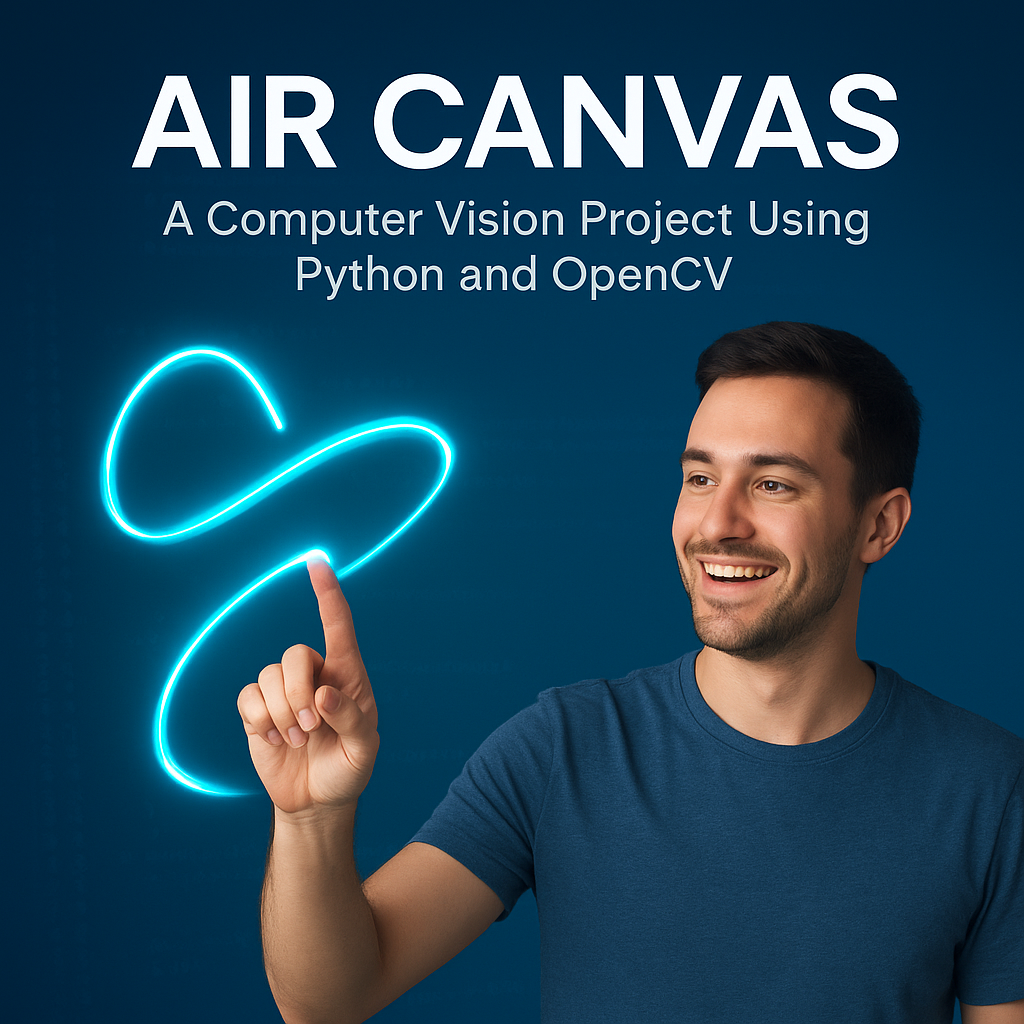
Air Canvas: Virtual Brushes in the Wind Using Python and OpenCV
Abstract:
Writing in the air has emerged as an innovative approach in the domains of image processing and human-computer interaction. This project presents Air Canvas, a virtual drawing tool that allows users to sketch or write in mid-air using finger or coloured object motion tracked via a webcam. Leveraging technologies like Python, OpenCV, and MediaPipe, the system detects fingertip movements, traces paths, and renders drawings on a digital canvas. It eliminates the need for physical input devices and introduces a more intuitive and accessible interface. This solution is particularly beneficial in digital art, education, and for individuals with disabilities, offering a seamless and hands-free method of interaction.
Introduction:
Human expression through writing and drawing has evolved drastically from cave paintings to digital mediums. Today, with advancements in computer vision, it is possible to create a digital interface that interprets gestures as input for drawing. Air Canvas brings this futuristic concept to life by allowing users to draw in air using their fingers. By utilizing a webcam, the system captures hand movements, processes them in real-time, and displays the drawing on screen. This project focuses on enhancing the human-machine interface using a blend of artistic freedom and technical innovation, promoting creativity through intuitive interaction.
Problem Statement:
Conventional drawing interfaces rely heavily on physical input tools like mouse, stylus, or touchscreen. These tools may limit creative freedom and are not always accessible to individuals with physical constraints. Additionally, existing hand-gesture-based systems often suffer from low accuracy, high processing time, and reliance on complex hardware or wearables. There is a need for a lightweight, real-time solution that allows natural interaction with digital platforms through simple gestures.
Existing System and Disadvantages:
Existing Systems:
- Gesture-based systems using wearables like gloves or sensors.
- LED marker tracking with Optical Character Recognition (OCR) for air-writing.
- Hand gesture recognition platforms for general commands (e.g., media control).
Disadvantages:
- Dependency on additional hardware (LED markers, gloves).
- High latency in detecting and tracking gestures.
- Limited accuracy and precision in drawing or writing characters.
- Complex setup and low user-friendliness.
Proposed System and Advantages:
Proposed System:
The proposed Air Canvas system uses a webcam and OpenCV in combination with MediaPipe to detect and track fingertip movements in real-time. The path of motion is captured and displayed on a virtual canvas, allowing users to draw or write by simply waving their hands. No additional hardware is required apart from a standard webcam.
Advantages:
- No external hardware or wearable required.
- Real-time and accurate hand tracking using MediaPipe.
- Easy-to-use interface with minimal setup.
- Efficient processing using morphological operations for color tracking.
- Enhances accessibility and usability for differently-abled users.
Modules:
- Hand Detection Module:
- Detects hand using MediaPipe’s hand tracking model.
- Identifies key landmarks like fingertips.
- Fingertip Tracking Module:
- Tracks the index finger tip to capture drawing motion.
- Drawing Module:
- Maps the fingertip’s position to canvas coordinates.
- Draws lines or shapes on screen based on movement.
- Gesture Control Module:
- Recognizes gestures for changing tools (e.g., switch to eraser).
- Color Marker Detection Module (Optional):
- Uses HSV color space to detect colored markers on the fingertip.
- Canvas Management Module:
- Handles clearing canvas, switching colors or modes.
Algorithms:
- MediaPipe Hands: For real-time hand tracking and landmark identification.
- OpenCV Color Detection (Optional): HSV masking for detecting color markers.
- Morphological Operations:
- Erosion: Removes noise in binary mask.
- Dilation: Restores main structure after erosion.
- Drawing Logic:
- Coordinates are drawn using cv2.line() or cv2.circle() in OpenCV.
Software Requirements:
- Python 3.x
- Pycharm Community Edition / Jupyter Notebook
- OpenCV
- MediaPipe
- NumPy
- PyAutoGUI (optional for automation features)
- Pynput, Autopy (for advanced input emulation, optional)
Hardware Requirements:
- Processor: Intel i3 or higher
- RAM: Minimum 4 GB
- Storage: Minimum 40 GB HDD/SSD
- Webcam: Built-in or external camera
Conclusion:
The Air Canvas system offers a futuristic and accessible interface for digital drawing and writing. It eliminates the need for traditional input devices and introduces a novel approach to human-computer interaction. By using only a camera and intelligent vision algorithms, users can express creativity with freedom and precision. It holds potential applications in education, art, accessibility tools, and virtual interaction systems.
Future Enhancement:
- Incorporate Optical Character Recognition (OCR) to convert air-written text into editable digital text.
- Integrate with smart glasses or wearable devices for mobile use.
- Enable multi-finger gesture recognition for advanced controls.
- Improve gesture customization for personalized experiences.
- Add voice recognition or AI assistance for hybrid interaction systems.
- Save drawings or export in standard formats (PDF, PNG).


Reviews
There are no reviews yet.